



 Browser API
 Scraper API
 Unlocker API
Browser API

No risk. Pay only for completed requests.
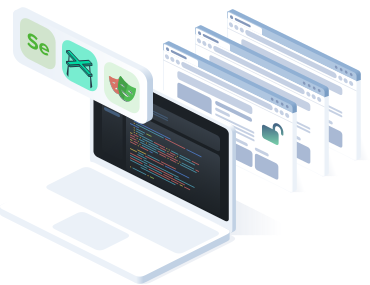
- Use proxies, sessions, cookies, and browser fingerprints
- Target countries, regions, and ASNs worldwide
- Handle captcha challenges inside browser workflows
- Scale automation without managing Chrome servers
- Start quickly with simple plug-and-play integration
- Run JavaScript-heavy websites with full browser rendering
联系销售

 +973 3402 2155
 t.me/captchasupport_bot
 support@2captcha.com
 +1 (716) 486-3133
Full scraping automation stack in scraping browser

Browser fingerprinting
Manage browser fingerprints, headers, cookies, and session signals to make automation workflows more stable.

Automated captcha solving
Handle captcha challenges in the background, including reCAPTCHA, hCaptcha, Turnstile, and other common verification flows.

Integrated proxy management
Use residential and mobile proxies with IP rotation, geo-targeting, and sticky sessions for large-scale data collection.

Easy integration
Connect through WebSocket or CDP and use your existing Playwright, Puppeteer, or Selenium scripts with minimal changes.

Auto-scaling infrastructure
Run browser automation in the cloud without managing local Chrome instances, Docker containers, or browser servers.

JavaScript rendering and debugging
Render dynamic websites, inspect browser sessions, and debug workflows with screenshots, logs, and developer tools.
How to work with the 2Captcha browser
Cloud Browser Integration Workflow for Automation Scripts
- Write script
You write a script in Puppeteer, Selenium, or Playwright
- Connect browser
The script connects to the 2Captcha Browser endpoint instead of launching Chrome locally
- Open website
2Captcha Browser starts a browser session and opens the target website
- Handle challenges
2Captcha Browser handles proxies, sessions, fingerprints, JavaScript rendering, and captcha challenges
- Get data
Your script continues the workflow and gets the result: HTML, data
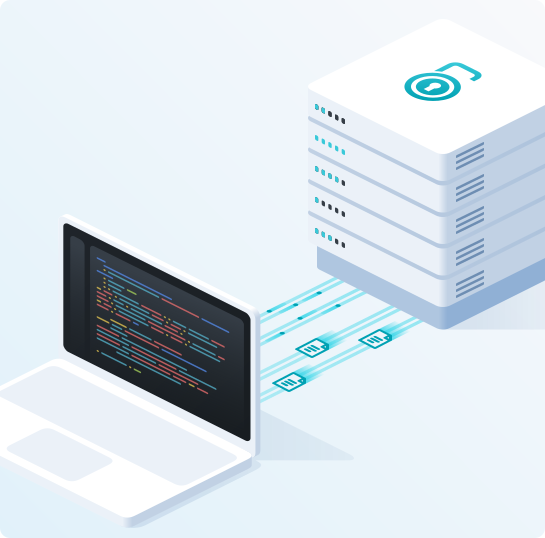
How 2Captcha Browser extends Puppeteer, Selenium, and Playwright
How it works
Connect your automation code to a cloud browser endpoint and run scraping workflows without managing browser infrastructure. Keep your existing Playwright, Puppeteer, or Selenium logic while the hosted browser handles rendering, proxies, sessions, fingerprints, captcha challenges, and scaling.
 Connect through CDP or WebSocket
Use a remote browser endpoint instead of launching Chrome locally. Connect through CDP, WebSocket, or a supported automation library and control the cloud browser from your existing codebase.
 Run your automation script
Open pages, click buttons, fill forms, wait for selectors, scroll, navigate between pages, and interact with dynamic content using the same browser automation logic you already use.
 Render the target website
The hosted browser loads HTML, CSS, JavaScript, XHR requests, images, and dynamic page elements like a regular browser. This makes it possible to work with SPA websites, lazy-loaded content, filters, pagination, and JavaScript-heavy pages.
 Handle access challenges
Captcha challenges, proxy rotation, browser fingerprints, headers, cookies, and sessions are handled inside the browser workflow. Your script can continue after verification, retries, or session updates without adding custom handling for every website.
 Extract the data
Collect rendered HTML, visible page text, screenshots, network responses, or structured data from the completed browser session. Use the output in your scraper, data pipeline, monitoring system, AI agent, or internal workflow.

Easy-to-integrate
Headless Browser is a scalable engine for scraping and automation - built for humans and AI agents alike.
Libraries: Playwright, Puppeteer & CDP-compatible tools
AI control: Support for MCP on Claude Desktop, Cursor and other MCP clients
Browsers: Chromium and Firefox
Run Puppeteer scripts on fully hosted browser sessions instead of managing local Chrome instances, Docker containers, or browser servers.
import puppeteer from 'puppeteer';
// Connection parameters
const login = 'YOUR_LOGIN';
const countryCode = 'us';
const password = 'YOUR_PASSWORD';
// Proxy settings
const proxyProtocol = 'http';
const proxyHost = 'proxy.example.com';
const proxyPort = '3128';
const proxyLogin = 'proxy_login';
const proxyPassword = 'proxy_password';
// Generate profile ID
const chars = 'abcdefghijklmnopqrstuvwxyz0123456789';
const profileId = 'profile_' + Array.from(crypto.getRandomValues(new Uint8Array(5)))
.map(b => chars[b % 36]).join('');
// Build CDP URL
const proxyUrl = `${proxyProtocol}://${proxyLogin}:${proxyPassword}@${proxyHost}:${proxyPort}`;
const encoded = btoa(proxyUrl).replace(/\+/g, '-').replace(/\//g, '_').replace(/=+$/, '');
const cdpUrl = `ws://${login}-pid-${profileId}-zone-scraping_browser-country-${countryCode}-proxy-${encoded}:${password}@cb.2captcha.com:9222`;
(async () => {
try {
const browser = await puppeteer.connect({ browserWSEndpoint: cdpUrl });
const page = await browser.newPage();
await page.goto('https://2captcha.com');
console.log('Title:', await page.title());
await browser.disconnect();
} catch (err) {
console.error('Error:', err.message);
}
})();Connect Playwright to a remote browser endpoint and automate dynamic pages, forms, clicks, scrolling, screenshots, and data extraction in the cloud.
import { chromium } from 'playwright';
// Connection parameters
const login = 'YOUR_LOGIN';
const countryCode = 'us';
const password = 'YOUR_PASSWORD';
// Proxy settings
const proxyProtocol = 'http';
const proxyHost = 'proxy.example.com';
const proxyPort = '3128';
const proxyLogin = 'proxy_login';
const proxyPassword = 'proxy_password';
// Generate profile ID
const chars = 'abcdefghijklmnopqrstuvwxyz0123456789';
const profileId = 'profile_' + Array.from(crypto.getRandomValues(new Uint8Array(5)))
.map(b => chars[b % 36]).join('');
// Build CDP URL
const proxyUrl = `${proxyProtocol}://${proxyLogin}:${proxyPassword}@${proxyHost}:${proxyPort}`;
const encoded = btoa(proxyUrl).replace(/\+/g, '-').replace(/\//g, '_').replace(/=+$/, '');
const cdpUrl = `ws://${login}-pid-${profileId}-zone-scraping_browser-country-${countryCode}-proxy-${encoded}:${password}@cb.2captcha.com:9222`;
(async () => {
try {
const browser = await chromium.connectOverCDP(cdpUrl);
const context = browser.contexts()[0];
const page = await context.newPage();
await page.goto('https://2captcha.com');
console.log('Title:', await page.title());
await browser.close();
} catch (err) {
console.error('Error:', err.message);
}
})();Run Playwright Python scripts on a fully hosted browser with built-in proxy encoding, session management, and fingerprint handling.
import base64
import random
import string
from playwright.sync_api import sync_playwright
# Connection parameters
user_id = 'YOUR_LOGIN'
country_code = 'us'
password = 'YOUR_PASSWORD'
# Proxy settings
proxy_protocol = 'http'
proxy_host = 'proxy.example.com'
proxy_port = '3128'
proxy_login = 'proxy_login'
proxy_password = 'proxy_password'
# Generate profile ID
chars = string.ascii_lowercase + string.digits
profile_id = 'profile_' + ''.join(random.choices(chars, k=5))
# Build CDP URL
proxy_url = f'{proxy_protocol}://{proxy_login}:{proxy_password}@{proxy_host}:{proxy_port}'
encoded = base64.urlsafe_b64encode(proxy_url.encode()).decode().rstrip('=')
cdp_url = f'ws://{user_id}-pid-{profile_id}-zone-scraping_browser-country-{country_code}-proxy-{encoded}:{password}@cb.2captcha.com:9222'
try:
with sync_playwright() as p:
browser = p.chromium.connect_over_cdp(cdp_url)
context = browser.contexts[0]
page = context.new_page()
page.goto('https://2captcha.com')
print('Title:', page.title())
browser.close()
except Exception as e:
print('Error:', e)Integrate Playwright for Java with a remote browser session, proxy encoding, and persistent profile support for scraping and QA workflows.
import com.microsoft.playwright.*;
import java.util.Base64;
import java.security.SecureRandom;
public class Main {
public static void main(String[] args) {
// Connection parameters
String login = "YOUR_LOGIN";
String countryCode = "us";
String password = "YOUR_PASSWORD";
// Proxy settings
String proxyProtocol = "http";
String proxyHost = "proxy.example.com";
String proxyPort = "3128";
String proxyLogin = "proxy_login";
String proxyPassword = "proxy_password";
// Generate profile ID
String chars = "abcdefghijklmnopqrstuvwxyz0123456789";
SecureRandom rng = new SecureRandom();
StringBuilder sb = new StringBuilder("profile_");
for (int i = 0; i < 5; i++) sb.append(chars.charAt(rng.nextInt(chars.length())));
String profileId = sb.toString();
// Build CDP URL
String proxyUrl = proxyProtocol + "://" + proxyLogin + ":" + proxyPassword
+ "@" + proxyHost + ":" + proxyPort;
String encoded = Base64.getUrlEncoder().withoutPadding()
.encodeToString(proxyUrl.getBytes());
String cdpUrl = "ws://" + login + "-pid-" + profileId
+ "-zone-scraping_browser-country-" + countryCode
+ "-proxy-" + encoded + ":" + password
+ "@cb.2captcha.com:9222";
try (Playwright playwright = Playwright.create()) {
Browser browser = playwright.chromium().connectOverCDP(cdpUrl);
Page page = browser.contexts().get(0).newPage();
page.navigate("https://2captcha.com");
System.out.println("Title: " + page.title());
browser.close();
} catch (Exception e) {
System.err.println("Error: " + e.getMessage());
}
}
}Connect Playwright .NET to a hosted browser and run automation workflows with proxy support, session handling, and captcha bypass.
using Microsoft.Playwright;
using System;
using System.Linq;
using System.Text;
// Connection parameters
var login = "YOUR_LOGIN";
var countryCode = "us";
var password = "YOUR_PASSWORD";
// Proxy settings
var proxyProtocol = "http";
var proxyHost = "proxy.example.com";
var proxyPort = "3128";
var proxyLogin = "proxy_login";
var proxyPassword = "proxy_password";
// Generate profile ID
const string chars = "abcdefghijklmnopqrstuvwxyz0123456789";
var rng = new Random();
var profileId = "profile_" + new string(new char[5].Select(_ => chars[rng.Next(chars.Length)]).ToArray());
// Build CDP URL
var proxyUrl = $"{proxyProtocol}://{proxyLogin}:{proxyPassword}@{proxyHost}:{proxyPort}";
var encoded = Convert.ToBase64String(Encoding.UTF8.GetBytes(proxyUrl))
.Replace('+', '-').Replace('/', '_').TrimEnd('=');
var cdpUrl = $"ws://{login}-pid-{profileId}-zone-scraping_browser-country-{countryCode}-proxy-{encoded}:{password}@cb.2captcha.com:9222";
try {
using var playwright = await Playwright.CreateAsync();
var browser = await playwright.Chromium.ConnectOverCDPAsync(cdpUrl);
var context = browser.Contexts[0];
var page = await context.NewPageAsync();
await page.GotoAsync("https://2captcha.com");
Console.WriteLine("Title: " + await page.TitleAsync());
await browser.CloseAsync();
} catch (Exception e) {
Console.Error.WriteLine("Error: " + e.Message);
}Use cases
Scraping browser bypasses the roadblocks so you can focus on the data.
Data Extraction & E-commerce
Legitimate public data gathering to scale business processes and analytics without the risk of IP blocks.
Market & Price Intelligence
Extract competitor pricing and inventory from marketplaces (Amazon, Walmart) in real-time. Built-in proxies easily bypass aggressive retail WAFs.
SEO Monitoring & SERP
Bulk parse Google search results for rank tracking. Choose your exact geolocation (country/city) and forget about search engine captchas.
AI & LLM Data Training
Provide your neural networks and AI agents with uninterrupted access to fresh internet data.
RAG & Agent Tooling
Integrate via Model Context Protocol (MCP). Enable your LLM agent to gather information from any protected website, receiving clean Markdown or JSON in return.
Dataset Gathering
Automated collection of massive text and visual datasets for training ML models. The browser autonomously handles all Cloudflare and DataDome challenges during the scraping process.
QA & Security Testing
Reliable tools for developers and QA engineers to automate routine tasks and validate system integrity.
End-to-End (E2E) Testing
Seamless testing of user flows (registration, checkout) in CI/CD pipelines using Playwright or Puppeteer without facing roadblocks in pre-production.
WAF & Bot-Protection Stress Test
Emulate complex traffic scenarios to test infrastructure resilience and validate the response of bot protection systems (Akamai, Imperva) under heavy load.
Compliance and Responsible Use
We are committed to ensuring that our technology is used lawfully, responsibly, and for legitimate purposes. We do not support, authorize, or tolerate any illegal activity, abuse, or misuse of our products and services.
Our services are intended to support lawful access to publicly available information, including use cases that contribute to research, transparency, innovation, and the development of useful data-driven solutions. We strictly oppose the collection, processing, or use of unauthorized, restricted, confidential, or sensitive information without proper legal basis or permission.
Users are solely responsible for ensuring that their use of our services complies with all applicable laws, regulations, contractual obligations, website terms, privacy requirements, and third-party rights.
If you believe that our services are being used in violation of applicable law, our policies, or the rights of others, please contact us and provide relevant details. We review abuse reports carefully and may take appropriate action, including restricting or terminating access to our services where necessary.
To strengthen transparency, user control, and privacy protection, we maintain a dedicated Privacy Center where users can access information about data practices, privacy rights, and available control options.





Social Media
Interact with social media safely while maintaining high account trust scores.
Persistent Sessions
Utilize Sticky Sessions (IP retention) and persistent profiles (cookie storage). Your script will behave and look exactly like a regular user browsing from a specific mobile device.
Lead Generation
Collect public contacts and profiles for outreach campaigns, avoiding shadowbans and account restrictions thanks to flawless kernel-level browser fingerprinting.